
AcroPano Panorama Stitcher2.1 - Download
You'll be able to download in few seconds.
Publisher Description
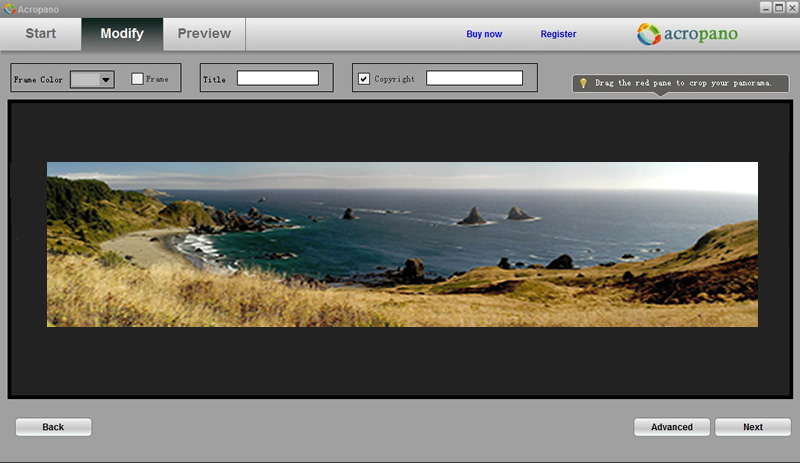
AcroPano Panorama Stitcher, stitches your photos into 2D panorama perfectly just in a minute, and provides fully manual control of the stitching points at the same time.
Key features:
1. Intelligent photo organizing: Automatically organizes associated photos in the right order.
2. Automatic photo stitching: Programmatically creates panoramas in just a few mouse clicks.
3. Advanced mode: Manually control stitching points on associated photos.
4. Supported output formats and sizes: Export Panoramas in JPEG (JPG), BMP, TIFF (TIF), PNG or TGA format with different image quality.
5. Multiple styles: AcroPano offers three panorama modes to suit well for presenting wide-angle view of vast landscapes, city skylines, a range of mountains, or cascading waterfalls, etc.
AcroPano Offers three Modes for stitching:
1. Horizontal Panorama: Stitches multiple horizontal photos of a view into a single wide panorama. Great for wide-angle view or representation of a physical space, vast landscapes, city skylines.
2. 360 degree Panorama: Creates a 360 degree cylindrical panorama. Stitching in 360 degree puts you right in the middle with all you're surrounded by. Great for a range of mountains, a forest of trees or the fence in your own backyard.
3. Vertical Panorama: Stitches multiple vertical photos of a view into a single wide panorama. Great for snapping a full picture of soaring skyscrapers, towering trees, and cascading waterfalls.
For more information, please contact info@acropano.com
About AcroPano Panorama Stitcher
This Gallery & Cataloging Tools program is available in English. It was last updated on 29 September, 2026. AcroPano Panorama Stitcher is compatible with the following operating systems: Other, Windows.
The company that develops AcroPano Panorama Stitcher is AcroPano. The latest version released by its developer is 2.1.
The download we have available for AcroPano Panorama Stitcher has a file size of 8.4 MB. Just click the green Download button above to start the downloading process. The program is listed on our website since 2011-09-23 and was downloaded 0 times. We have already checked if the download link is safe, however for your own protection we recommend that you scan the downloaded software with your antivirus. Your antivirus may detect the AcroPano Panorama Stitcher as malware if the download link is broken.
How to install AcroPano Panorama Stitcher on your Windows device:
- Click on the Download button on our website. This will start the download from the website of the developer.
- Once the AcroPano Panorama Stitcher is downloaded click on it to start the setup process (assuming you are on a desktop computer).
- When the installation is finished you should be able to see and run the program.
Program Details
System requirements
Download information
Pricing
Version History
version 2.1
posted on 2011-09-23
Disclaimer
External Download
We do not host AcroPano Panorama Stitcher on our servers. We did not scan it for viruses, adware, spyware or other type of malware. This app is hosted by the software publisher and passed their terms and conditions to be listed there. We recommend caution when installing it.
The external download link for AcroPano Panorama Stitcher is provided to you by apps112.com without any warranties, representations or guarantees of any kind, so access it at your own risk.
If you have questions regarding this particular app contact the publisher directly. For questions about the functionalities of apps112.com contact us.
